
Best AI Interior Design Apps in 2026: Redecorate Smarter
Best AI Interior Design Apps in 2026: Redecorate Smarter
Interior design used to require either a professional designer or a serious tolerance for expensive mistakes. You'd buy furniture, bring it home, and discover it was the wrong scale or clashed with everything else. Returns were a hassle, and visualizing changes before committing was nearly impossible without expensive rendering software.
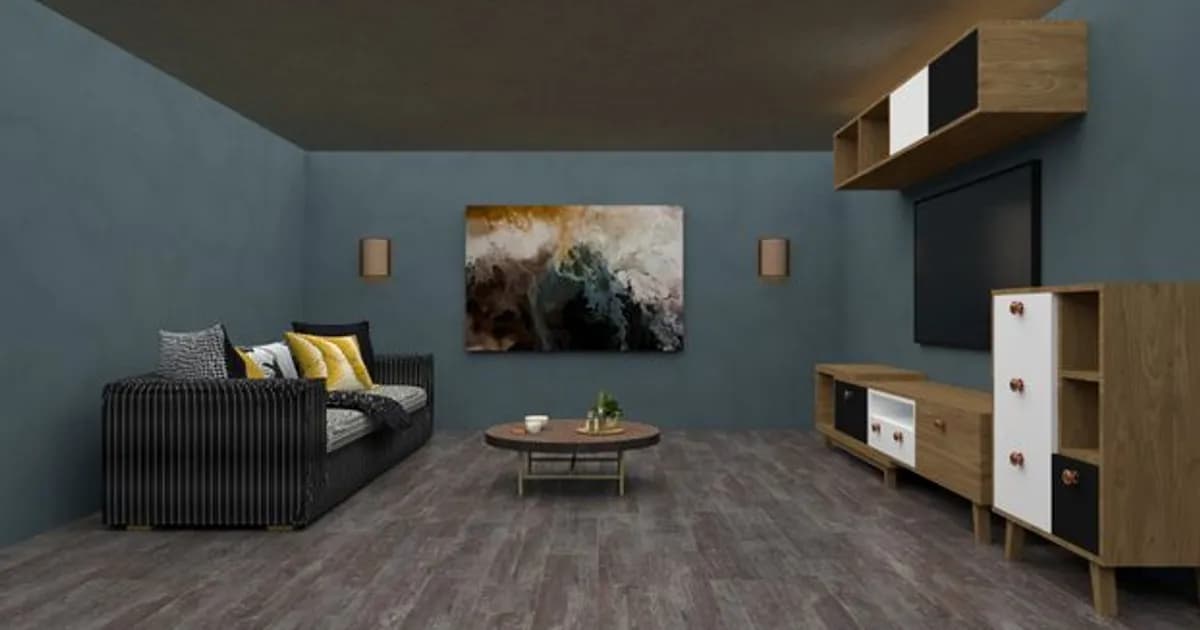
AI interior design apps have changed that equation. In 2026, you can point your phone at a room, describe what you want, and see a realistic render of the redesigned space in under a minute. The best tools go further — they suggest furniture combinations, check spatial dimensions, and even link directly to shoppable products that match the style you've described.
Here's a look at what's available, what actually works, and who each app suits best.
What AI Interior Design Apps Can Do in 2026
The capabilities vary considerably by app, but the leading tools now combine several functions:
- Room scanning: Use your phone's camera to capture room dimensions and existing furniture placement
- Style transformation: Apply a design style (Scandinavian, mid-century modern, industrial, maximalist, etc.) to a photo of your actual room
- Furniture suggestions: AI recommends specific pieces based on your space, budget, and style preferences
- Dimension checking: Models flag furniture that won't physically fit before you order it
- Direct shopping: Many apps link suggestions to real product listings from major retailers
- Color palette generation: AI suggests paint colors, fabric tones, and accent combinations that work together
The limiting factor is still photorealism in complex scenarios — getting accurate material textures and lighting in all conditions is genuinely hard. But for visualization and planning, these tools have crossed the threshold where they're genuinely useful for most people.
Roomvo: Best for Quick Visualization
Roomvo is the most widely available visualization tool because it's embedded directly into the websites of major flooring, tile, and paint retailers. You upload a photo of your room, select a product, and instantly see how it looks in your actual space.
The AI handles perspective correction and lighting adjustment well enough that the previews are reliably accurate for color and pattern. It doesn't help with furniture layout or room planning, but for the specific problem of "will this floor or paint look right in my space," it's one of the best tools available — and it's free to use through any retailer that has integrated it.
Houzz: Best All-in-One Design Platform
Houzz has been in the home improvement space for years, and their AI tools have matured considerably. The platform's AI can analyze a photo of your room and identify the style, then suggest products from their marketplace that match.
Their "View in My Room" feature uses AR to place 3D product models in your actual space using your phone camera. The product database is extensive — millions of items from thousands of brands — and the AI recommendations are trained on project data from professional designers, which shows in the quality of what it suggests.
Houzz works well for people who want to buy, not just plan. The platform is built around a marketplace, so suggestions always connect to purchasable products. If you want pure design exploration without shopping intent, it can feel commercial.
Planner 5D: Best for Full Room Layouts
Planner 5D takes a different approach. It's a room planning tool first, with AI assistance layered on top. You start by defining your room's dimensions, then furnish it from a library of thousands of items. The AI can suggest furniture arrangements based on room shape and your stated priorities — maximizing natural light, creating a conversation area, leaving room for a home office.
The 3D rendering engine is strong, and you can view your planned layout in a walkthrough mode that gives a genuine sense of scale. Where Planner 5D excels is helping you plan the whole room before buying anything. Where it's weaker is in connecting to real products you can actually purchase.
A free tier offers substantial functionality, with a subscription unlocking higher-resolution renders and more furniture options.
Modsy (Rebuilt): Best for AI-Assisted Professional Results
Modsy went through a rough period a few years back but has re-emerged with a more AI-driven model. The current service combines AI design generation with human designer review. You fill out a style quiz, upload room photos, and the AI generates initial design concepts in 3D. A human designer then refines the result and provides product recommendations.
It's not a pure AI tool — the human-in-the-loop is intentional — but the outputs are noticeably more polished than fully automated alternatives. All product suggestions are shoppable, and the designs come with estimated budgets. Pricing starts around $75 per room, which is significantly less than hiring a decorator directly.
This is the right option if you want genuinely thoughtful results and don't mind waiting a few days for the AI-plus-human workflow to complete.
Interior AI: Best for Style Exploration
Interior AI is a simpler tool with a focused purpose: take a photo of any room and reimagine it in a different style. Upload a photo, pick from dozens of aesthetic styles, and get a realistic render showing what the space could look like.
The rendering quality is impressive, and processing takes under thirty seconds. What Interior AI doesn't do is help you implement the vision — there's no product sourcing, no dimension checking, no shopping integration. But for inspiration and visualization before committing to a style direction, it's one of the fastest tools available.
It's popular with people redoing a rental who can't make structural changes but want to understand what's possible through furniture, rugs, and accessories alone.
What to Look for When Choosing an App
Before picking an app, it's worth being clear about what problem you're actually trying to solve:
- Inspiration only: Interior AI or Pinterest's AI features work well
- Buying something specific: Roomvo or Houzz make sense
- Planning a full room before purchasing: Planner 5D or Modsy
- Working with a decorator who uses AI tools: Ask your designer what they use — many now incorporate Planner 5D or Morpholio Board into their workflow
Most of these tools have free tiers or free trials, so there's no real cost to testing a few before committing.
The Honest Limitations
AI interior design tools are genuinely useful, but they have consistent weaknesses worth knowing about:
Lighting accuracy is still imperfect. Materials look different under different lighting conditions, and most apps don't fully model how natural light changes throughout the day in your specific space.
Structural elements are hard. Existing trim, ceiling height, awkward corners, and load-bearing walls don't always render or plan accurately. The tools work best for furniture and surface finishes.
Actual dimensions require care. Some tools let you input dimensions manually; others estimate from photos. Estimates can be off enough to cause real problems with large furniture. Always double-check measurements of anything you plan to buy.
Scale is tricky. A sofa that looks perfect in a rendered room can still feel overwhelming once it's physically in your space. Use masking tape on the floor to mark dimensions before ordering anything large.
The Bottom Line
AI interior design tools have made decent visualization accessible to anyone with a smartphone. You no longer need to pay a designer or hire a staging service to understand what your space could look like. The best tools handle visualization, planning, and even shopping in one place.
No app eliminates the need for good judgment or the occasional mistake. But they significantly reduce the gap between imagining a redesigned space and understanding how it would actually look and feel. For anyone thinking about redecorating — whether a whole home or a single room — these tools are genuinely worth spending an hour with before buying anything.
For a broader look at how AI is changing creative tools, see Best AI Image Generation Tools in 2026: Top Picks Ranked. And if you're exploring AI for finding and evaluating property, see AI in Real Estate 2026: Property Search and Valuation Tools.
Comments
Loading comments...