
Best AI Mobile Apps in 2026: Top Picks for iOS and Android
Best AI Mobile Apps in 2026: Top Picks for iOS and Android
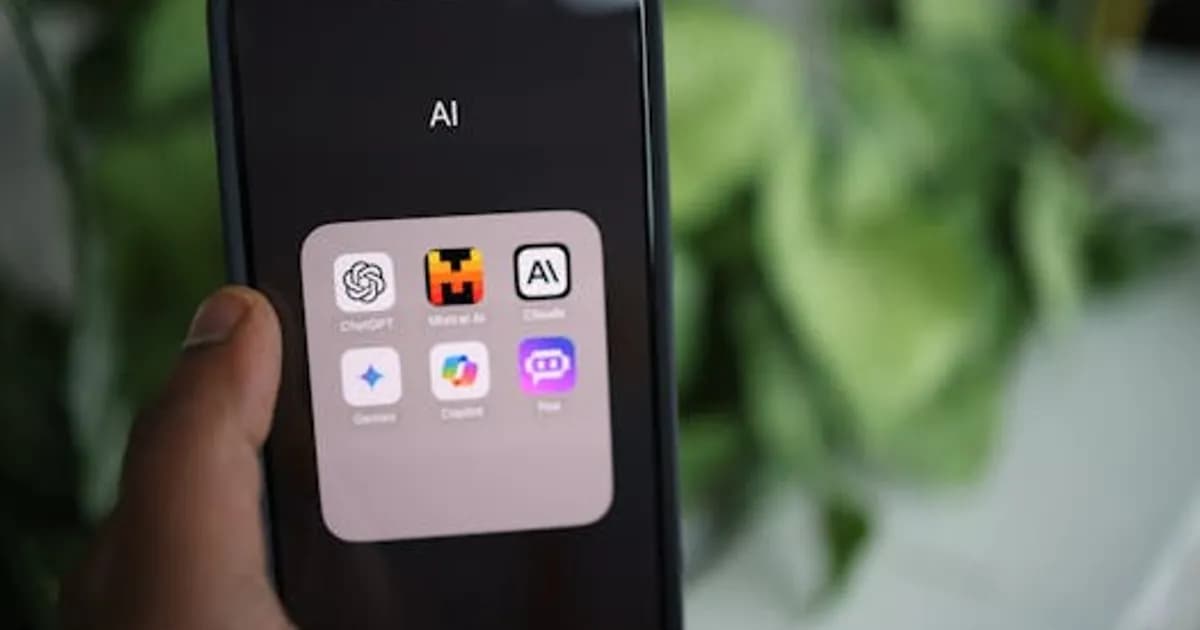
The gap between desktop and mobile AI has nearly closed in 2026. What used to require a laptop and browser tab now fits in your pocket and works with a tap or a voice command. The best AI mobile apps today handle writing, image editing, research, productivity, and conversation at a quality level that would have been server-side-only two years ago — partly because of more capable cloud APIs, and partly because on-device AI chips in modern smartphones have become genuinely powerful.
Whether you're an iPhone user leaning into Apple Intelligence or an Android user exploring Google's Gemini integration, the mobile AI ecosystem has never been richer. Here's what's worth downloading.
AI Assistants and Chat
ChatGPT (OpenAI)
The ChatGPT mobile app has become one of the most-downloaded apps globally. The mobile experience is polished: voice mode lets you have a genuine back-and-forth spoken conversation, image input lets you photograph something and ask about it, and GPT-4o handles the vast majority of use cases most users bring to it. The Advanced Voice Mode, which uses natural speech with interruptions and emotional tone, is particularly well-executed on mobile.
- Platform: iOS, Android
- Free tier: GPT-4o with message limits
- Best for: general AI assistance, voice conversation, quick research
Claude (Anthropic)
The Claude mobile app offers access to Anthropic's model family with a clean, fast interface. Claude excels at longer-form writing assistance, nuanced analysis, and tasks that benefit from careful reasoning. The mobile app supports file attachments and image input, and Claude's longer context window is useful for pasting in entire documents for analysis.
- Platform: iOS, Android
- Free tier: Claude with daily limits
- Best for: writing assistance, document analysis, research synthesis
Gemini (Google)
Google's Gemini app is tightly integrated with Android and available on iOS. On Android, it can replace Google Assistant and handle device-level tasks — setting reminders, managing calendar, controlling smart home devices — alongside answering questions and generating content. The Gemini Live feature enables real-time voice conversation with on-screen context awareness.
- Platform: iOS, Android (deeper Android integration)
- Free tier: Gemini 2.0 with limits; Gemini Advanced on subscription
- Best for: Android users wanting an AI assistant integrated with Google services
Writing and Content Creation
Notion AI
Notion's mobile app has made its AI features genuinely usable on a small screen. You can draft, summarize, and reorganize content within your Notion workspace while on the go. The AI sidebar is accessible from any document and can rewrite, expand, or condense content in seconds. For teams using Notion as a central knowledge base, the mobile AI experience means you can add and refine content anywhere.
- Platform: iOS, Android
- Best for: teams using Notion for project management and documentation
Grammarly
Grammarly's mobile keyboard integration means AI writing assistance is available system-wide — in email, messaging apps, social media, and any text field on your phone. In 2026, the keyboard includes tone adjustment, sentence rewriting, and generative suggestions on top of the spelling and grammar correction it was originally known for.
- Platform: iOS, Android (keyboard extension)
- Best for: anyone who writes frequently on mobile and wants inline quality improvement
Canva with AI
Canva's mobile app has fully integrated its AI design tools — Magic Write for text generation, Magic Edit for image manipulation, and text-to-design that generates layouts from a description. For social media content creation, the combination of template access and AI generation makes mobile design practical in a way it wasn't with desktop-only workflows.
- Platform: iOS, Android
- Best for: social media creators, marketers, and visual content production on mobile
Photography and Image Editing
Adobe Lightroom with AI
Adobe Lightroom for mobile has the most capable AI photo editing on the market. Denoise AI removes grain from dark or high-ISO photos with remarkable quality. AI-powered masking (Select Subject, Select Sky, Select Background) makes complex edits that previously required careful manual selection accessible in one tap. The Generative Remove tool fills in removed areas with generated content.
- Platform: iOS, Android
- Free tier: Limited features; Creative Cloud subscription for full AI tools
- Best for: photographers wanting pro-grade AI image editing on mobile
Google Photos with Gemini AI
Google Photos continues to add AI features that make it the strongest default photo management app on Android. Magic Eraser removes unwanted objects. Best Take combines multiple shots to give everyone their best expression in group photos. Ask Photos (Gemini-powered) lets you search your photo library in natural language — "photos from our camping trip in 2024" or "pictures of the kids at the beach."
- Platform: iOS, Android (deeper Android integration)
- Best for: organizing and searching personal photo libraries
Lensa AI / Prisma Labs tools
For AI portrait generation and artistic photo transformation, Lensa remains popular, though the category has proliferated significantly. If AI-generated portrait packs or artistic style transfers are your use case, compare a few options — pricing and output quality vary.
Productivity and Organization
Otter.ai
Otter's mobile app turns your phone into a meeting transcription machine. Start the app, join or join a conversation, and Otter captures and transcribes in real time. The AI summary appears shortly after the meeting ends with key points and action items. For professionals who spend significant time in meetings, the mobile app is often more practical than a laptop setup.
- Platform: iOS, Android
- Best for: meeting transcription and action item capture
Reclaim AI
Reclaim automatically schedules tasks, habits, and focus time around your calendar. The mobile app lets you manage your schedule intelligently — if a meeting runs long, Reclaim reshuffles your remaining day automatically. In 2026, AI-driven calendar management has become a genuine productivity tool rather than a gimmick.
- Platform: iOS, Android
- Best for: professionals managing busy calendars who want AI schedule optimization
Perplexity AI
Perplexity's mobile app is one of the best AI research tools for on-the-go queries. Unlike general AI chatbots, Perplexity always cites its sources and draws on real-time web search, making it more reliable for factual questions. The app is fast and the interface is clean — better suited to quick research queries than general conversation.
- Platform: iOS, Android
- Best for: quick factual research with source citations on the go
Language and Learning
Duolingo with AI
Duolingo's AI integration in 2026 includes the Roleplay feature (practice conversations with an AI in your target language) and Explain My Answer (get explanations of why a specific answer was correct or wrong). The core gamification loop remains, but AI has made the practice more adaptive and conversational.
- Platform: iOS, Android
- Best for: language learners wanting structured, gamified AI conversation practice
Speak AI Language Tutor
Speak focuses specifically on conversation practice with AI, giving feedback on pronunciation and grammar in real time. It's more focused than Duolingo — no gamification, just conversation practice and coaching. Strong for users who've hit the Duolingo ceiling and need to practice speaking at length.
- Platform: iOS, Android
- Best for: intermediate language learners focused on spoken fluency
Health and Wellness
Whoop AI Coach
Whoop's AI Coach interprets your biometric data — HRV, sleep quality, strain — and delivers personalized coaching advice in natural language. Ask why your recovery score is low, and it explains which data points contributed. The mobile interface makes this ongoing coaching conversation easy to access throughout the day.
- Platform: iOS, Android (requires Whoop hardware)
- Best for: fitness enthusiasts and athletes wanting AI-interpreted biometrics
Calm / Headspace with AI personalization
Both major meditation apps have added AI-driven personalization to their recommendation engines, serving content based on your mood, history, and goals. Neither is purely an AI app, but AI has made the content discovery experience meaningfully better.
Tips for Choosing AI Mobile Apps
- Check what model powers it: Many apps are thin wrappers around the same underlying APIs (GPT-4o, Gemini). What matters is the interface and workflow design, not just the underlying model.
- Evaluate offline capability: Some AI features require constant connectivity; on-device AI on newer iPhones and Pixels can work offline for specific tasks.
- Watch subscription stacking: It's easy to end up paying for ChatGPT Plus, Claude Pro, Gemini Advanced, and several specialized apps simultaneously. Consolidate where possible.
- Privacy audit: AI apps that process voice, photos, and documents are collecting sensitive data. Review privacy policies and data retention terms before handing over personal content.
The best AI mobile apps in 2026 genuinely change how productive you can be away from a desk. The right combination depends on your most frequent use cases — but the days of AI being primarily a desktop experience are firmly behind us.
Comments
Loading comments...